Porting Synaptics Astra SL1680 to run PhobOS
Torizon Ecosystem compatible with zero Yocto usage!
If you haven’t heard about PhobOS yet, see here This is PhobOS. In summary PhobOS is the Debian based and Toradex Torizon compatible Linux distribution for secure embedded Linux.
So PhobOS has to have support for the following features to be compatible with Torizon Ecosystem:
- OSTree for OS atomic updates;
- Docker container engine (Torizon OS uses containers for applications);
- Torizon Remote Access Connection;
- Aktualizr OTA client;
- PhobOS Easy Pairing to Torizon Cloud;
For a while the only way to have this was using the meta-toradex-torizon Yocto/OpenEmbedded layer provided by Toradex. But not anymore!
PhobOS does not provide only containers updates like Torizon on Debian and Ubuntu, PhobOS provides all the OS software stack updates using Debian based packages!
DISCLAIMER: PhobOS is not a Toradex product, it was not been reviewed or approved by Toradex.
Synaptics BSP (Board Support Package)
Synaptics provides layers for Yocto/OpenEmbedded to build Linux distributions for their boards. If you dig a bit on their Github repo you will find the Linux Kernel and U-Boot repos. These repos are designed to work with Yocto, you can note the branches that are the names of the Yocto releases.
Also there is a interesting repo called build. This repo contains a set of scripts and configurations to build Kernel, U-Boot and other system components for the Synaptics Astra boards. The Yocto layers uses this behind the scenes.
Say NO to Yocto
So, there is no magic, Yocto is using, in their messy way, what Synaptics provides. So we can do the same, but in a more straightforward/easy way. Read the build repo, bring more clarity on how the Astra boards works than reading the Yocto layers.
With this build repo was easy to port the build flow, configuration and dependencies, to work with the Gaia Build System. So now we have the:
cookbook-synapticsGaia cookbook to build Synaptics Astra custom Debian based Linux distributions. It builds the reference distroDeimOS, simple Debian based distro using the Synaptics BSP;
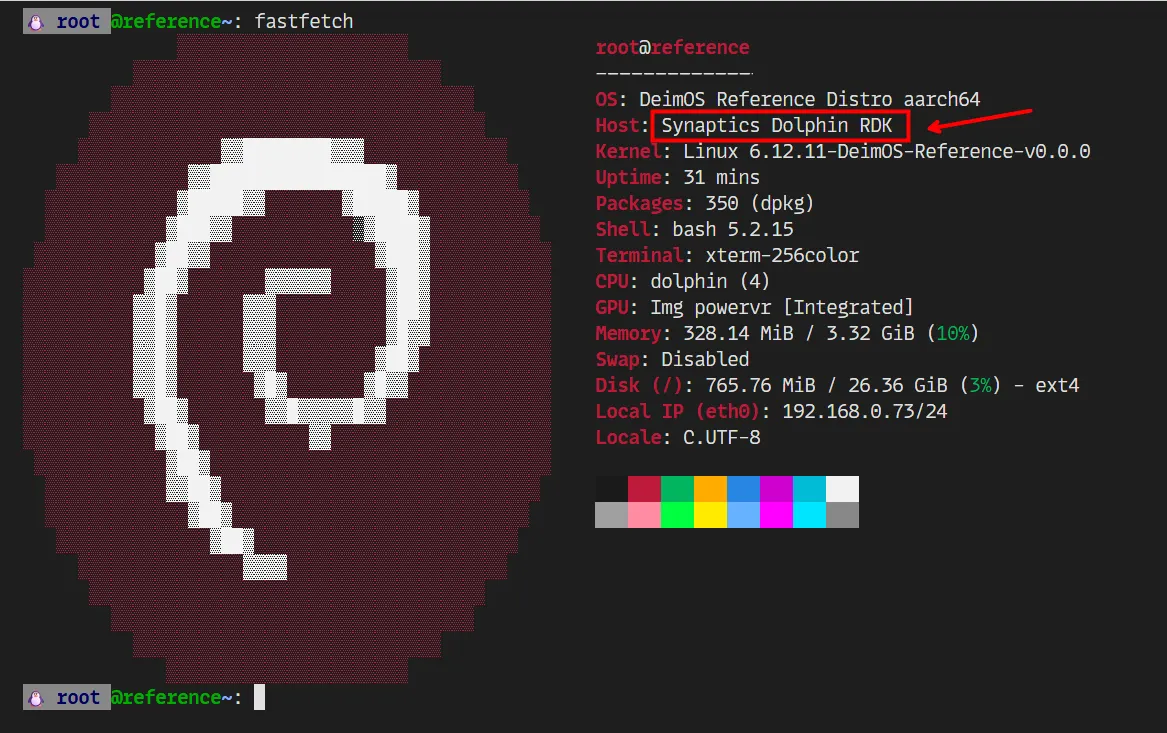
And then, with DeimOS running, it’s easy use the cookbook-phobos to extend the recipes from cookbook-synaptics and build PhobOS for Synaptics Astra sl1680.

Challenges
During the porting process, some challenges were faced.
eMMC Partition
The Astra sl1680 ROM expects a very specific partition layout on the eMMC:

At least, that’s what I was thinking, but after some tries I found out that the ROM seems searches for the label of the partition. Like, if there is a partition labeled bl_a, it will try to load the U-Boot from there. If it fails, it will try the partition labeled bl_b. And we can then note that this was clearly designed to support A/B system updates.
For PhobOS this could be simplified, removing the duplicated partitions:
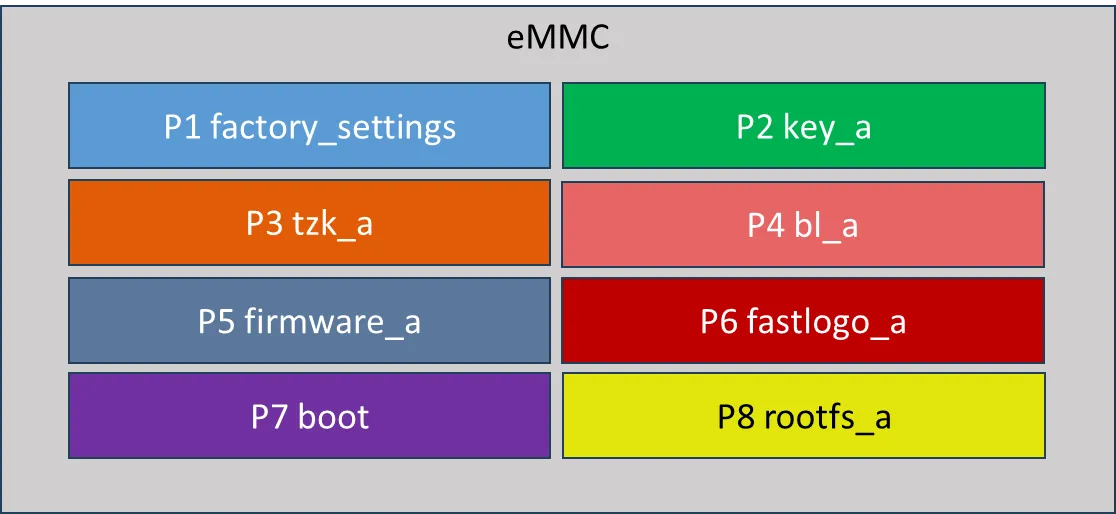
Since PhobOS uses OSTree for atomic updates, we can use only one rootfs partition.
Fastlogo?
During the boot process the U-boot does some weird things to show the splash screen. To be honest I did not fully understand this, and I did not dig deeper on this. It seems that there is a fastlogo trusted application (TA) running under TEE (Trusted Execution Environment) secure world. This TA handle the video initialization, the U-Boot loads a “fastlogo” binary containing various images, this binary container has the info about the images and is flashed in the fastlogo_a/b partitions.
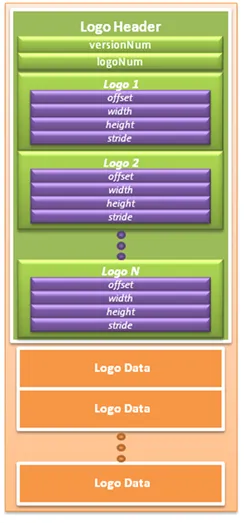
Thankfully they have a documentation on how this container binary creation works, so I could create a recipe for creating splash screen customization to show during the U-Boot phase.
Where is /dev/fb0?
PhobOS uses fbdev to show the animated splash screen during the initramfs and rootfs boot phases. But the Astra sl1680 BSP does not supports fbdev. They only support DRM/KMS. Well, ok, is true that the fbdev is deprecated since Linux v5.15. But is still largely used in embedded systems. What is common today is the DRM driver provides a fbdev compatibility layer, so applications that uses fbdev can still work.
At first I thought that I was only missing the CONFIG_DRM_FBDEV_EMULATION kernel config option, but even enabling this, the /dev/fb0 was not created.
AI will take the job of the Kernel Developers
Then I did an experiment. Using VS Code Copilot agent mode, set to use Claude Sonnect 4 model, I asked it to implement for me the “fbdev helpers” under the Synaptics DRM/KMS implementation. In the first iteration, that take a while, it generated code that builded! This was a surprise. But, it did not worked, the /dev/fb0 was there though, but I was receiving a kernel panic when trying to access it.
After some iterations, like 5 or 6 (I did not documented this process ), of “vibe-code” asking for fix, compiling, deploying, testing, fbcon was working but fbi not, and inputing back the kernel logs, the agent end out with IMAGE! The follow image:
The commit is this one: soc: berlin: drm: Add fbdev helpers
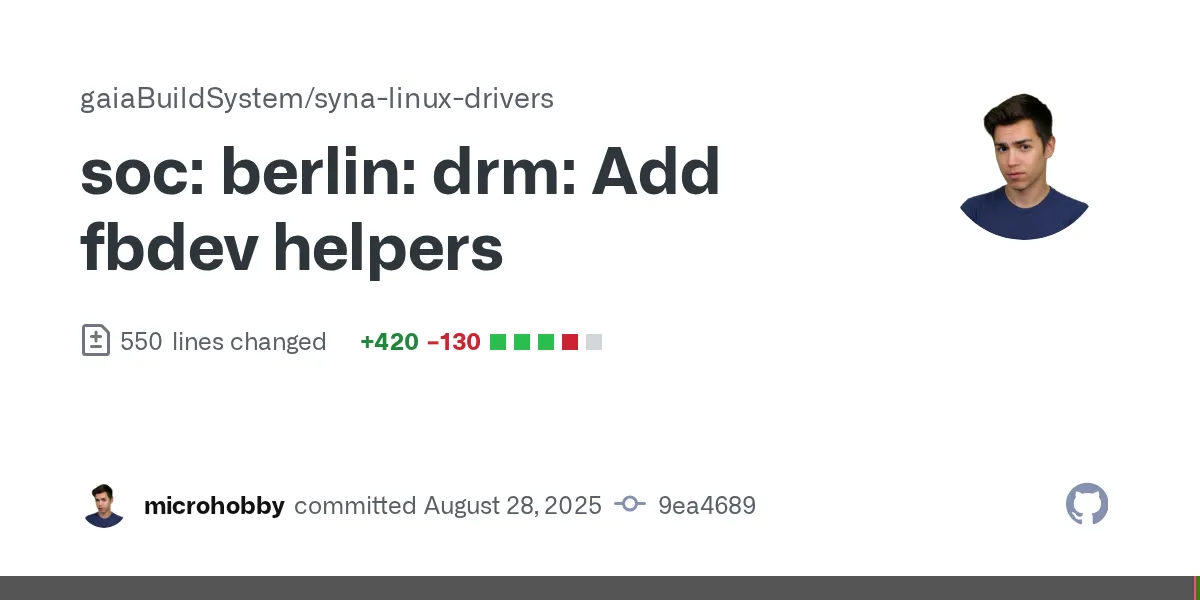
Seems that the IA was able to understand the Synaptics DRM/KMS and how to implement the fbdev helpers, with a bit of patience. This was impressive.
My Riverdi 1280x800 display does not works!?
I have on my bench a pretty cool Riverdi 10” Touch HDMI display with 1280x800 resolution. The splash screen, under U-Boot, was working, but when the Linux Kernel took over, no image was shown. The display was just black .
After enable the DRM/KMS debug logging, I traced the code and found out that the SoC was able to use the resolution that the EDID of the display was reporting, but this need to be explicitly enabled on the device tree.
hdmi_tx {
    status= "okay";
    hdtx-core-config = /bits/ 8 <1 1>;
    hdtx-supported-formats = /bits/ 8 <13 10 13 15 22 21 19 26 25 24 61 111 115>;
};
The important part is the hdtx-supported-formats property, that need to have the 115 entry. 115 is the resID(resolution ID) for RES_CUSTOM_1280x800P60.The issue is that even adding the 115 entry, the resolution was not working. The kernel log was showing that the resolution was not supported.
The VPP driver, that is the Video Processing Pipeline, that runs under the secure world, is asked to the resID that matches the EDID resolution. If the VPP does not support the resolution, it will return -1/RES_INVALID and the DRM/KMS will return MODE_NOMODE, setting the resolution as not supported.
Adding some logging for the debug the VPP driver, I found out that the VPP was returning the RES_CUSTOM_1280x800P60 correctly. But, the function that was asking and checking if the resID matched with the support table, clock, width, height and refresh rate, was not matching it:
int syna_get_res_index(int active_width, int active_height, int scan, int freq, int fps)
{
    int i;
    int fps_index;

    fps_index = syna_get_fps_map(fps);
    if (fps_index < 0) {
        return -1;
    }

    for (i = 0; i < RES_MAX_4Kx2K; i++) {
        if ((active_width == m_resinfo_table[i].active_width) &&
                (active_height == m_resinfo_table[i].active_height) &&
                (scan == m_resinfo_table[i].scan) &&
                (freq == m_resinfo_table[i].freq) &&
                (fps_index == m_resinfo_table[i].frame_rate)) {
            break;
        }
    }

    if (i == RES_MAX_4Kx2K) {
        return -1;
    }
    return i;
}
I need to add the RES_CUSTOM_1280x800P60 entry to the:
static const RESOLUTION_INFO m_resinfo_table[MAX_NUM_RESS]But only this was not enough. We can note on the snippet of the syna_get_res_index that was something weird at least. The for loop is checking until the RES_MAX_4Kx2K, but the m_resinfo_table has MAX_NUM_RESS entries. So, I changed also this to:
    for (i = 0; i < MAX_NUM_RESS; i++) {
        if ((active_width == m_resinfo_table[i].active_width) &&
                (active_height == m_resinfo_table[i].active_height) &&
                (scan == m_resinfo_table[i].scan) &&
                (freq == m_resinfo_table[i].freq) &&
                (fps_index == m_resinfo_table[i].frame_rate)) {
            break;
        }
    }

    if (i == MAX_NUM_RESS) {
        return -1;
    }
And then, the display started to work!
Conclusion
So, all this work was integrated into the Gaia Build System. The cookbook-synaptics and cookbook-phobos are now available. Then you can build your own PhobOS based Linux distribution for Synaptics Astra sl1680 board, with Torizon Ecosystem compatibility.
This port was interesting, I learned a lot about the Synaptics Astra sl1680 board and their internals. Also, the experience with the AI agent programming was interesting, I was not so sure about the results, or what expect from AI writing Kernel Linux stuff, but it worked pretty well. I will explore more this approach in the future.
Gaia Build System shows to be a great tool, is still my beloved pet project, but is getting more mature in each of the portings. I believe, but possible I’m a lot biased here, that I would spend much more time if I was using Yocto to do the same. Remembering that this was like from my nights and weekends work, so time is precious.