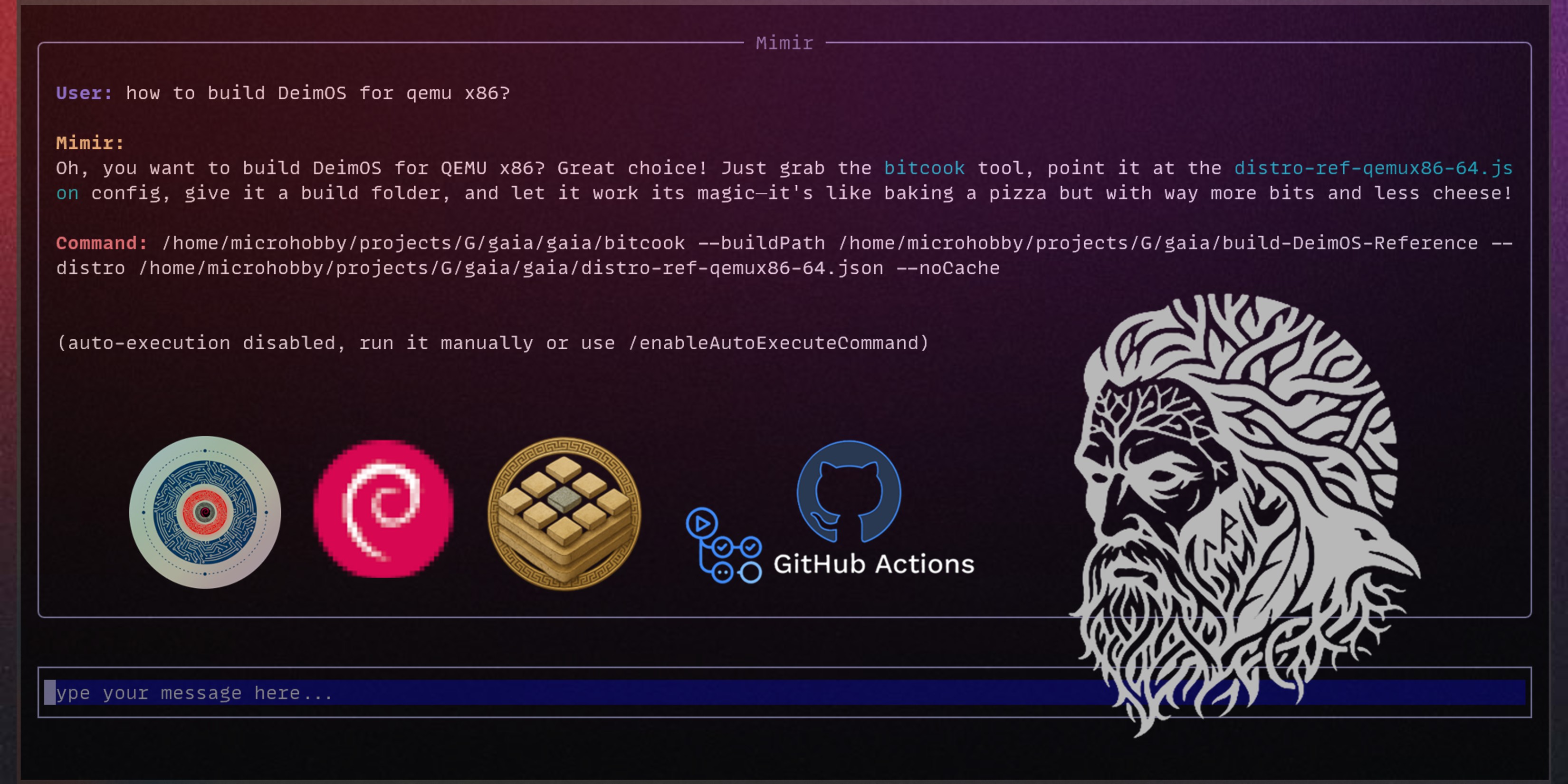
Mimir - Gaia Build System AI Agent
Memorize the build arguments? Read the documentation? Why not let an AI agent handle it for you? Introducing the Mimir Gaia Build System AI Agent
Gaia is a new build system that is designed to create reproducible Debian-based Linux distributions for embedded Linux. One of the goals is to be modern and user-friendly, not like the old-school build systems, cough cough Yocto.
So, why not experiment with the cool new AI technologies and see if we can make the build system even more user-friendly? Introducing the Mimir, an experimental AI agent chatbot that can help you with your build needs.
Mimir?
In summary, the name Mimir comes from Norse mythology. Mímir is a figure renowned for his knowledge and wisdom. He is the guardian of the well of wisdom. The goal is that Mimir will be the guardian of all the knowledge about the Gaia build system and help you with your build needs.

How does it work?
Mimir could be used in two ways: from a TUI (Text User Interface) in your preferred terminal, or directly through an AI agent CLI.
Mimir TUI
The TUI is a chat interface with two modes: chatbot mode and agent mode. In chatbot mode, it explains what to do. In agent mode, it runs build commands for you. For example, you can ask it to build PhobOS, a Torizon-compatible Debian-based Linux distribution, for a specific target board:
Note that by default the automatic command execution is disabled. You can enable it by typing the command /enableAutoExecuteCommand. With it enabled, Mimir will execute the build commands and will loop between errors to try to fix inference issues until the build is successful:
In the example above, Mimir was able to build PhobOS for Raspberry Pi 5. You can note that it failed like three times, but it was able to get the context from the error logs and fix the issues.
You can stop a command at any moment by typing the command `/stop`
Mimir CLI Agent
On the Mimir CLI agent there are no guardrails for agent command execution. There is only one argument, which is the natural language intention. For example, you can ask Mimir to build PhobOS for a specific target board:
mimir build phobos for the toradex verdin imx8mpThen Mimir will send the intention to the LLM server. The LLM server will parse the intention and return the answer and the build command to be executed. Mimir will then execute the command, make the adjustments, and execute more commands if needed.
One interesting use case for the Mimir CLI agent is to use it in a CI/CD pipeline. I did a proof of concept here mimir-init. The main idea is to check if the build environment was setup correctly inside the CI/CD pipeline, so the intention was set to:
- name: Run Mimir Tests
    run: |
        ./gaia/mimir-cli \
            build deimos for qemu x86, but only for check the env, \
            do not run the full build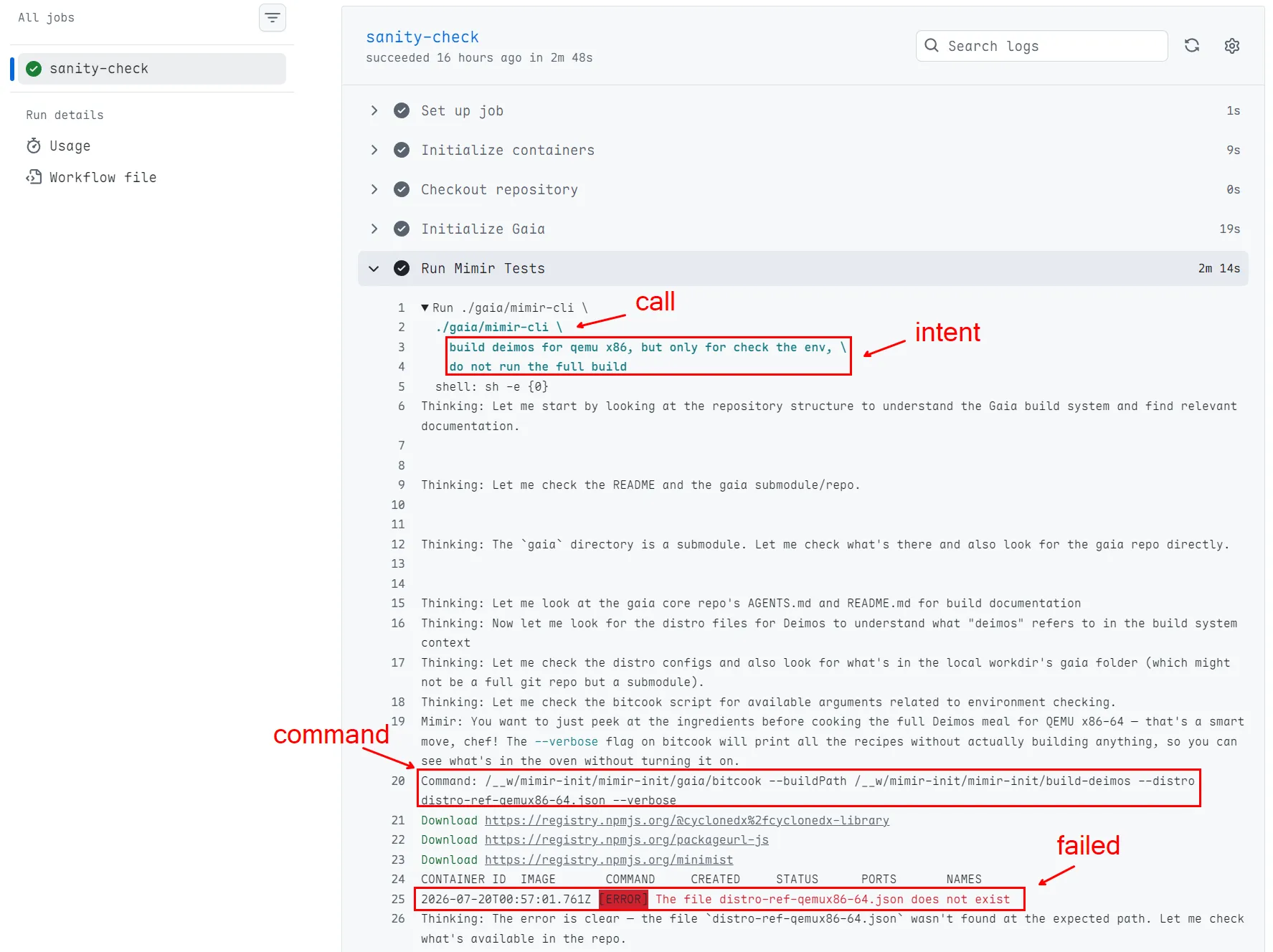
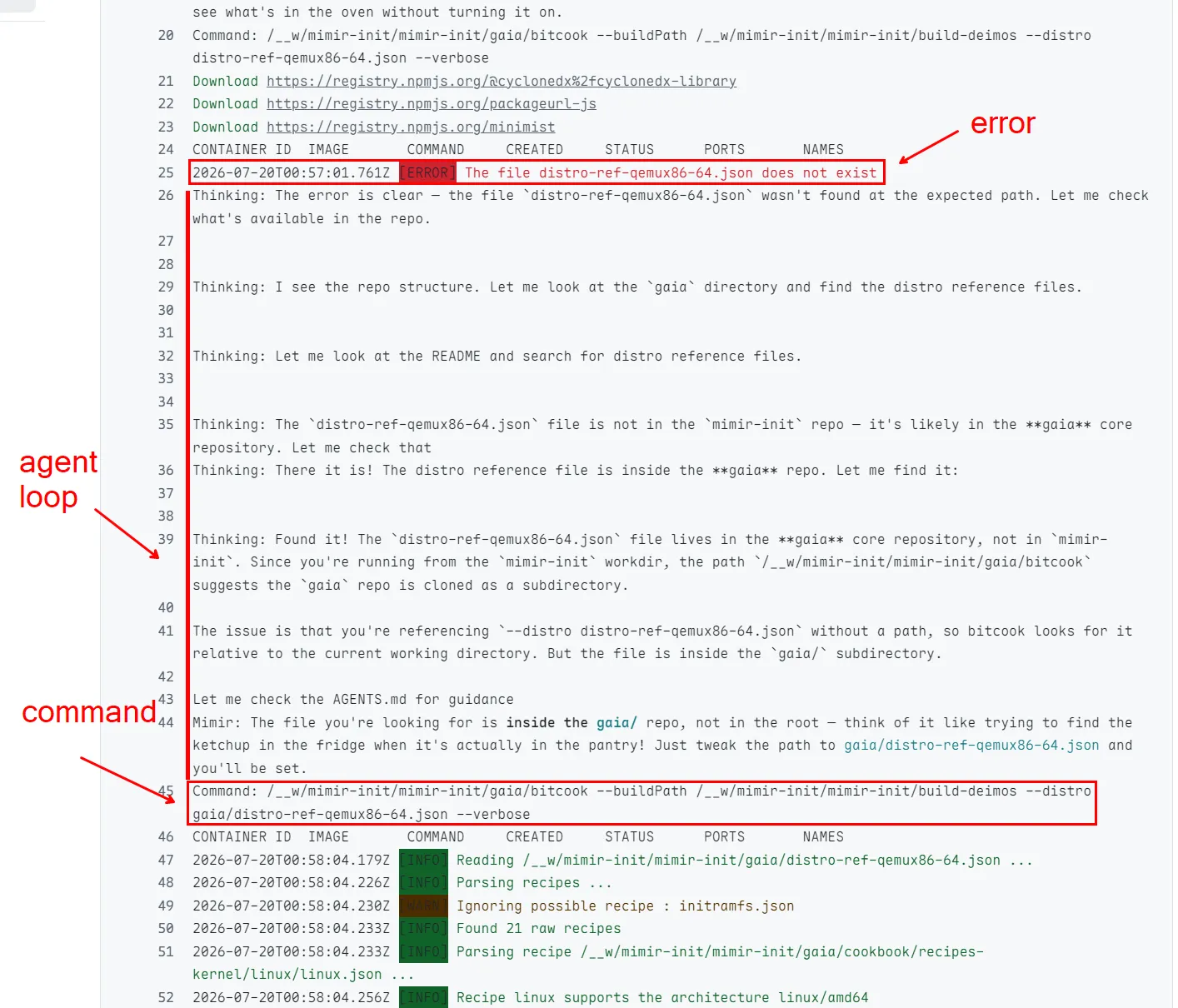
Even though the first try was wrong, it was able to check the error logs and think about the next steps to fix the issue. The next try was successful and the environment check was done successfully:
It’s Worth it?
Why have your own AI agent instead of using tools like Claude CLI or Antigravity? I made some experiments, first I tried with Antigravity. I just opened the tool on the root of the Gaia build system workdir and asked it to “how to build PhobOS for Raspberry Pi 5”:
At the first try it got the paths for the command wrong.
I also tried with Claude CLI, the same test, opened the tool on the root of the Gaia build system workdir and asked it to “how to build PhobOS for Raspberry Pi 5”:
For my surprise the result was worse. It tried first search on web instead of on the workdir. I had to interact with the chat to tip “just check this workdir”. Then it get the right context from the README.md and repos, and updated the same command, with the same wrong paths. The two thought that the root of the workdir was the Gaia core, and not the /workdir/gaia.
The results were pretty much the same as Mimir, at the thinking level. The difference is that Mimir has a pre-set context and some tips to help, directly from the system creator. Also to make it the most deterministic as possible, the instruction set is to always return a JSON with a minimal summary of the command to be executed, and the command itself. This way, Mimir can parse the JSON and execute the command without any human interaction. Turning the tool in a very specific AI agent for the Gaia build system.
Another advantage of have our own AI agent is that we can use whatever model we want. Mimir is running on the deepseek-v4-flash model, which is cheap and with the right context, tools and guardrails it can be pretty accurate.
Conclusion
Is it cool? Yes! Is it the future? Well, I have my doubts. The LLMs are still not a scalable technology for my taste. And, then delegate something that should be deterministic to something that is not, is a bit weird for me. But it is a fun experiment to see the potential use cases and results.
For beginners, Mimir TUI shortens the path from “I don’t know where to start” to a working build command. The Mimir CLI agent proved to be useful for CI/CD pipelines, if you are not annoyed to waste some GitHub Actions time with a few tries to get the right command. The use of natural language to describe the intention of the pipeline is a “cool” feature though.
Antigravity and Claude CLI got the same paths wrong that Mimir also got wrong at first. Mimir has the advantage of being a specialized AI agent for the Gaia build system, with a pre-set context with some help tips and instructed to always return JSON to be as deterministic as possible. Also when creating your own AI agent you can choose the balance between model cost and desired results.
Know you are not AI ❤️